

Dickey County
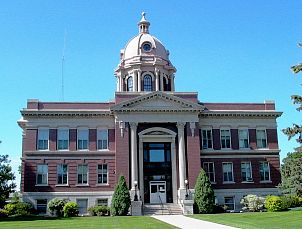
Address: 309 N 2nd St. , Ellendale, ND 58436
Andi Schimke- Clerk of District Court
Chris Estes- Sheriff
Kimberly Radermacher- State's Attorney
Mailing Address:
PO BOX 336
Ellendale, ND 58436
Courthouse Hours: 8:00 – 4:30
Phone Number: (701)349-3249 ext. 4; (701)349-8335 for Jury Line
Email Address: [email protected]
Website: https://dickeynd.com/
Courthouse Instructions:
You can enter the courthouse through door 1(Southside) or door 3(Northside). Door 3 is handicap accessible and there is an elevator.
The Clerk of Court’s office is located on the first floor and can be accessed by the elevator or stairs. The courtroom is located on the second floor and can also be accessed by the elevator or by using the stairs.
The parking lot is located by door 3 and there are two handicap parking stalls available.
Courtroom Rules:
While attending court, no cell phones, no purses or backpacks, food or beverages and no hats or caps are allowed.
Jury Instructions:
Check in with bailiff on second floor by courtroom. In the courtroom no cell phones, no purses or backpacks, no food or beverages, no hats or caps are allowed. Please leave these items in your vehicle.
If you are summoned for jury duty, you will need to call (701)349-8335 the day before the trial after 4:30 pm and listen to a recorded message regarding the status of the trial.